Advanced Mode
Advanced Mode is AlertD’s most powerful way to explore your cloud environment. When enabled, AlertD uses an iterative discovery process to answer your questions — first learning what data is available, then building precise cross-resource queries to get accurate results.
To enable Advanced Mode, toggle the Superduper Advanced Mode switch at the bottom of the chat interface before sending your question.
When to Use It
Advanced Mode shines on questions that require correlating multiple AWS resource types. These are questions that would normally require dozens of API calls and manual cross-referencing:
- “How would a breach of my EC2 instances compromise my security posture?”
- “Which EC2 instances use security groups that allow SSH from the internet?”
- “What IAM roles have overly broad permissions attached to running instances?”
- “Show me the blast radius if this subnet were compromised”
Use Advanced Mode when:
- Your question spans multiple resource types (EC2 + security groups + IAM roles)
- You need cross-resource joins (e.g., instances → security groups → rules)
- You’re doing security or compliance analysis that requires tracing relationships
- You’re exploring and aren’t sure what’s in your environment
Default mode is fine when:
- You’re listing or filtering a single resource type
- You’re querying metrics for known resources
- You need a quick, straightforward answer
How It Works
When you send a question with Advanced Mode enabled, AlertD launches a multi-step discovery loop instead of trying to answer directly.
Step 1: Discovery
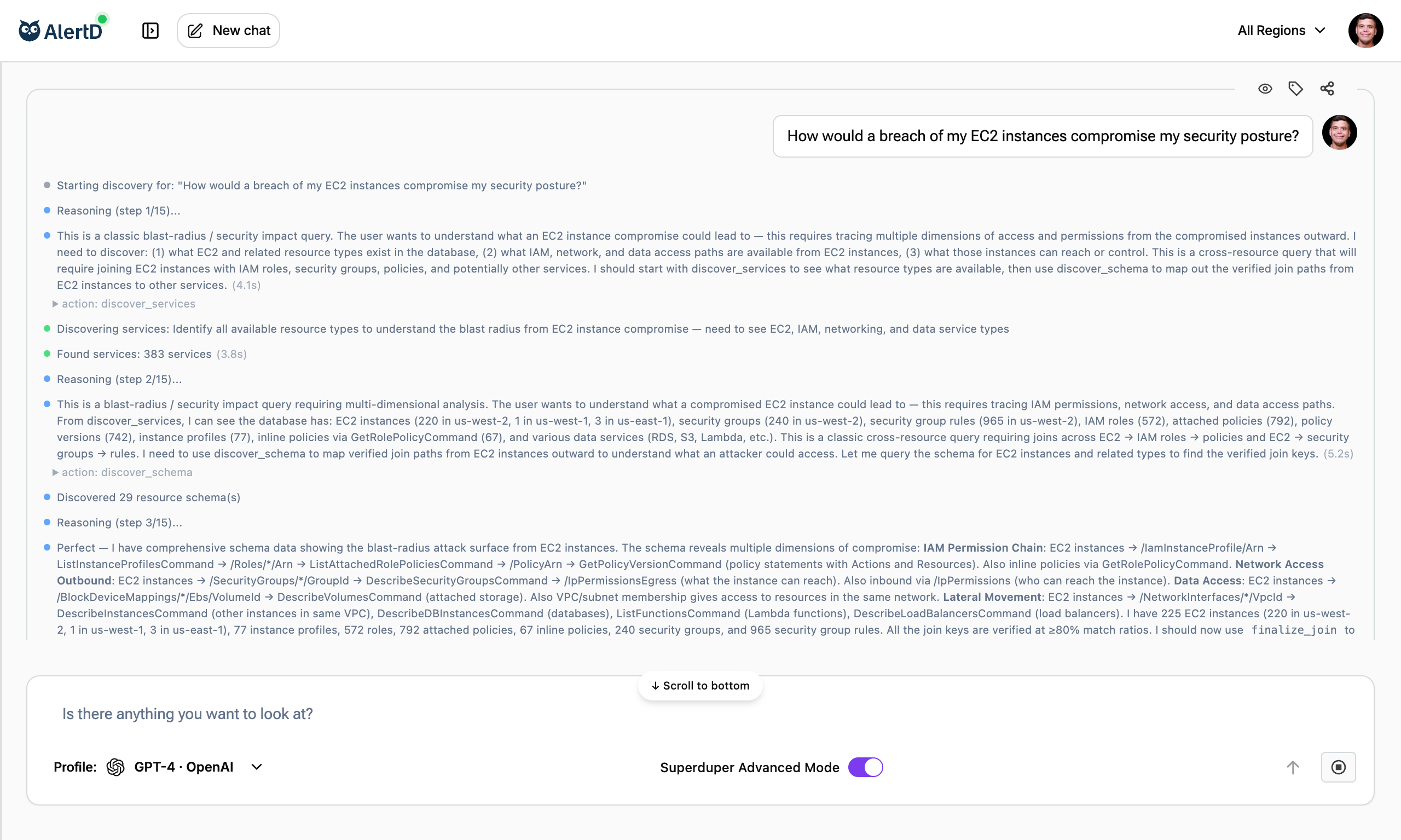
AlertD surveys your environment before querying it. Depending on your question, it may:
- Discover services — identify which resource types exist and how many of each
- Discover schemas — find what properties and join paths are available across resource types
- Discover attributes — check what values appear for a given property to build accurate filters
- Discover metrics — find available CloudWatch metrics and dimensions
- Discover pricing — look up pricing data for cost-related questions
Each discovery step informs the next. The system reasons through your question iteratively, building up a complete picture of the relevant data before constructing any queries.
Step 2: Cross-Resource Joins
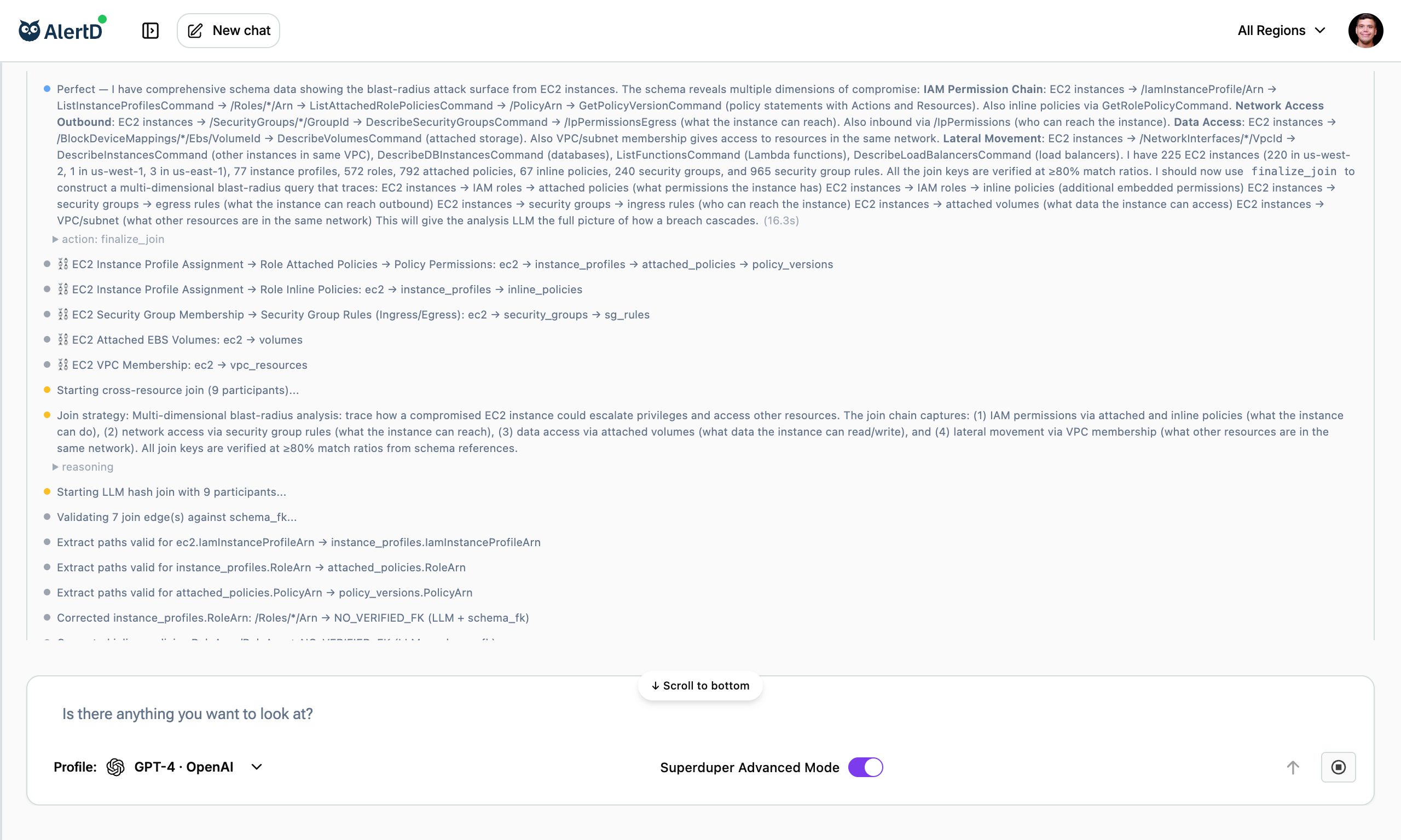
For questions that span multiple resource types, AlertD maps the relationships between them. For example, analyzing a security breach scenario might trace:
- IAM Permission Chain: EC2 instances → instance profiles → attached policies → policy versions
- Network Access: EC2 instances → security groups → ingress/egress rules
- Data Access: EC2 instances → attached EBS volumes
- Lateral Movement: EC2 instances → VPC/subnet membership → other resources in the same network
AlertD validates each join key at 80%+ match ratios before using it, ensuring the correlations are accurate.
Step 3: Query Construction & Execution
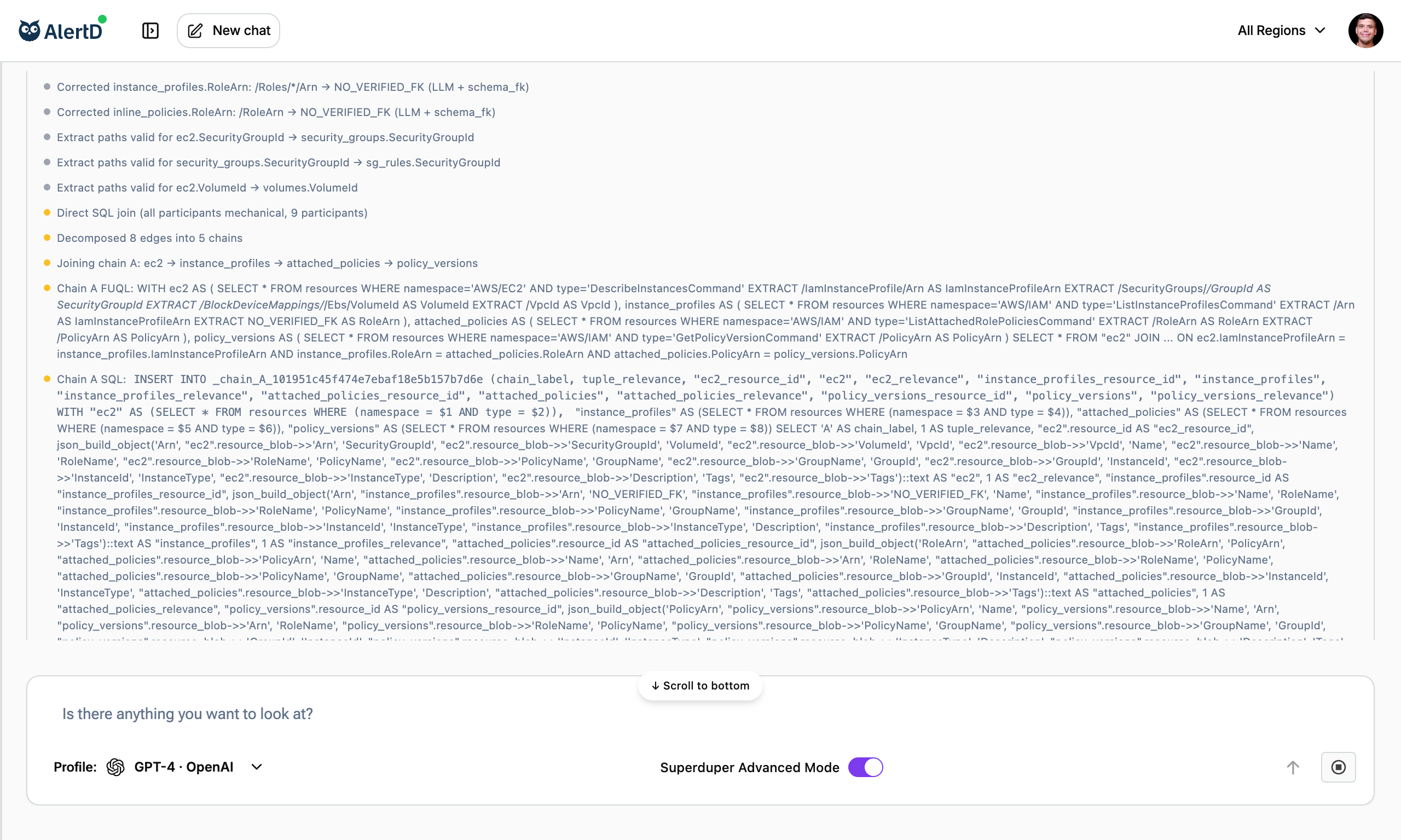
Based on what it discovered, AlertD constructs a structured query optimized for cloud resources. The query understands JSON resource properties, array fields, tags, regex patterns, and aggregations — built from evidence, not assumptions.
Step 4: Analysis
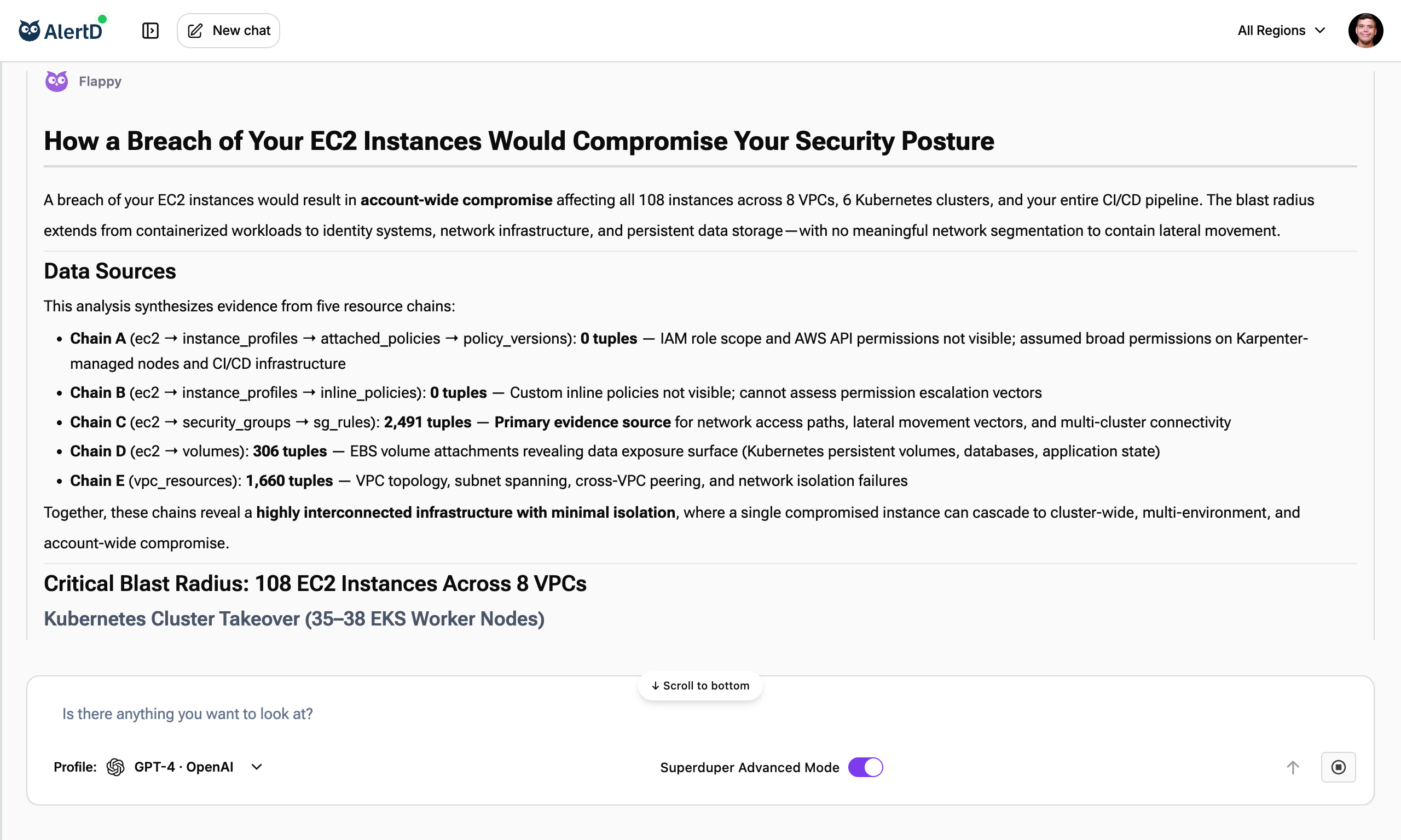
For large result sets — hundreds or thousands of resources — AlertD summarizes results in stages, compressing rows into meaningful insights. The final output is a structured analysis that directly addresses your question, often with breakdowns by region, resource type, or risk level.
Example: Security Blast Radius Analysis
The screenshots above show a real Advanced Mode session answering: “How would a breach of my EC2 instances compromise my security posture?”
AlertD automatically:
- Discovered 383 services and 29 resource schemas
- Mapped 5 join chains across EC2, IAM, security groups, volumes, and VPC resources
- Validated 7 join edges across 9 participating resource types
- Produced a blast radius analysis covering 108 EC2 instances across 8 VPCs
This kind of multi-dimensional security analysis would take hours to perform manually through the AWS console. With Advanced Mode, it runs in under a minute.
Next Steps
- Asking Questions – Tips for formulating effective queries
- AWS Queries – Example queries by AWS service