Execution Plans
In AlertD, every time you ask a question, you’re not just triggering a simple lookup—you’re initiating a custom-built execution plan designed specifically for your prompt. These plans are generated and interpreted by agents, run by a purpose-built engine (not an LLM), and fully visible in the UI so you can follow what happened, step by step.
What’s a Plan?
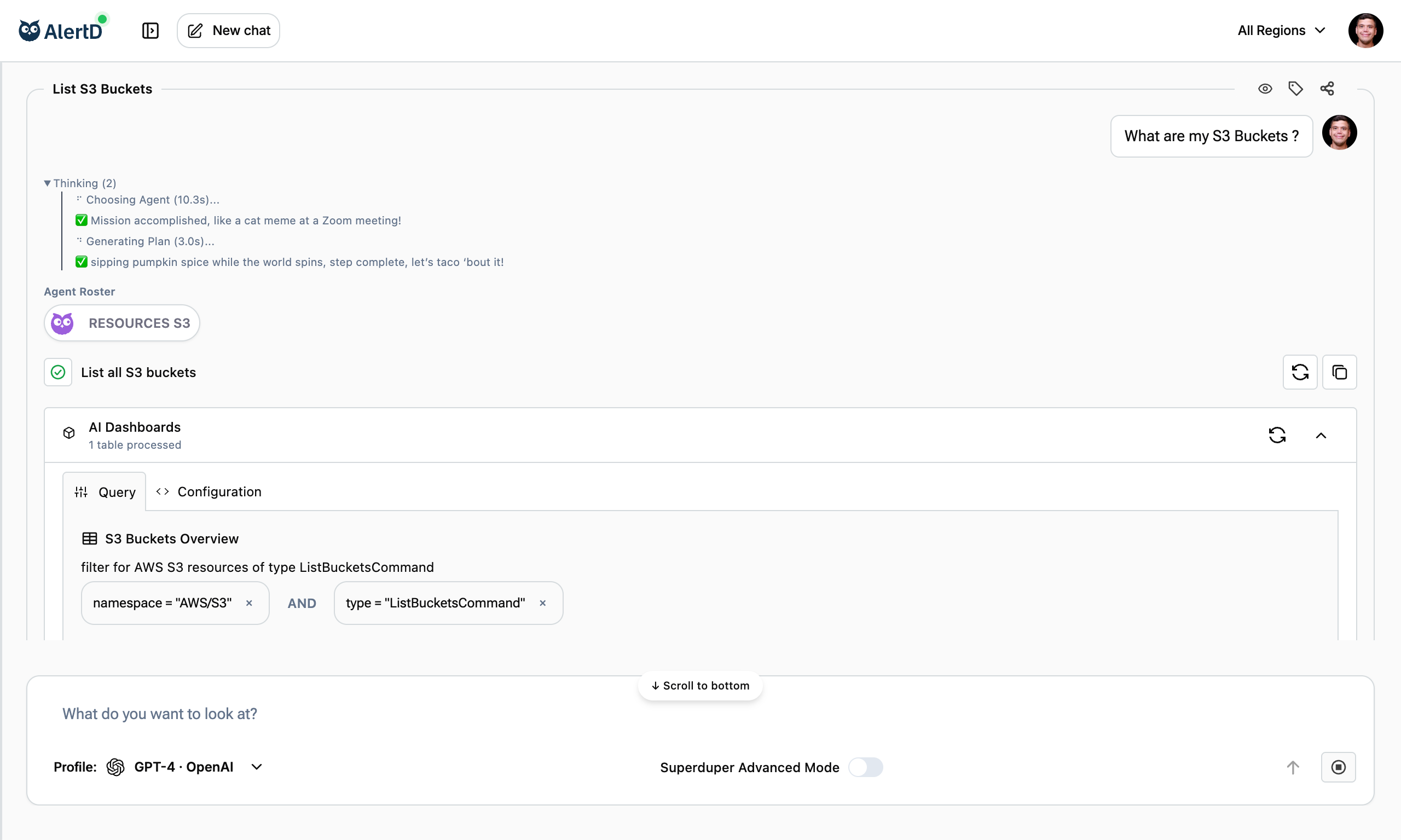
A plan is a set of actions the agent creates to figure out the answer to your question. Think of it like a blueprint that defines what data to fetch, how to process it, and how to show it back to you.
Each plan is:
- Written by the agent selected for your question
- Executed by our internal engine (not an LLM)
- Interpreted by the same agent to give you a clear, human-readable result
You don’t need to build a plan manually—the agent handles that for you. But you can see and trace every step it took.
Plan Structure
Each plan consists of discrete steps, often visualized in a card-like structure. A typical plan might include:
1. Service Call
e.g., “List all S3 buckets across all regions”
- Purpose: Fetch raw data from your environment
- Source: Data can come from AlertD’s ingested data store for fast local queries, or from live AWS API calls when real-time data is needed
- Output: JSON data or metric results
2. Data Transformation
e.g., “Collect all results into a single array”
- Purpose: Process, filter, or aggregate data
- Type: Data manipulation step
- Output: Transformed dataset
3. Table or Visual Output
e.g., “Transform the array into a readable table”

- Purpose: Format data for human consumption
- Type: Presentation layer
- Output: Structured table or chart
4. LLM Pass (Optional)
e.g., “Analyze the results for insights”
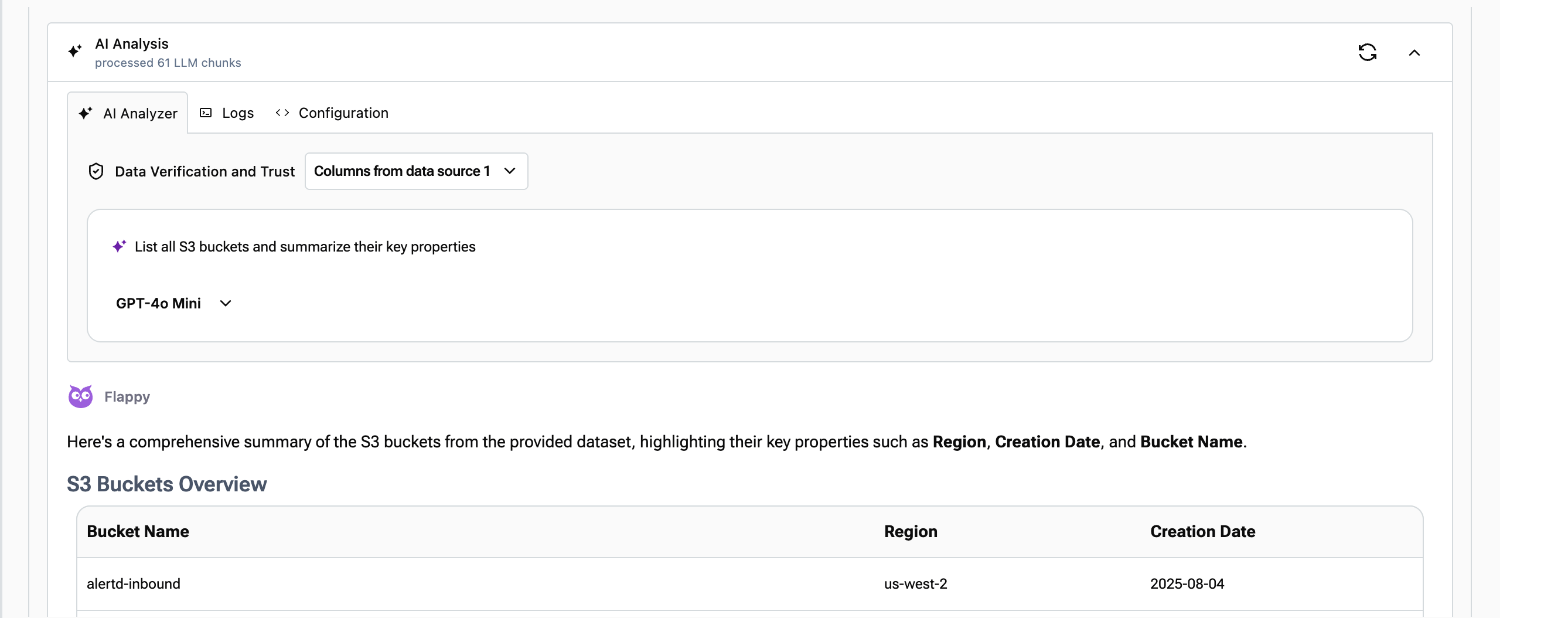
- Purpose: Generate natural language interpretation
- Type: AI analysis
- Output: Observations and recommendations
Each step is clearly labeled and includes a status check (pass/fail), so you can see what worked and where things might’ve gone wrong.
Key Takeaways
- Plans are transparent – Every step is visible and inspectable
- Plans are custom – Built specifically for your question
- Plans are reliable – Executed by deterministic engine, not LLM
- Plans are educational – Learn how AlertD answers questions
- Plans are debuggable – Inspect data streams and errors
Understanding execution plans helps you:
- Trust AlertD’s answers
- Ask better questions
- Debug unexpected results
- Appreciate the complexity AlertD handles automatically
Next Steps
- Understanding Results – How to read the tables and insights AlertD generates
- Team Collaboration – Share plans and results across your team